All accounts combined
Messages received and sent, conversations and new conversations, typical first reply, post comments and how many were replied, social followers, broadcast read rate and active agents, for today, 7 or 30 days.

Platform · New
Run several businesses, brands or branches, each with its own WhatsApp number? Link their WhatSell accounts into one group and watch all of them live: conversations, broadcasts, channels, unanswered customers, agents and tasks.
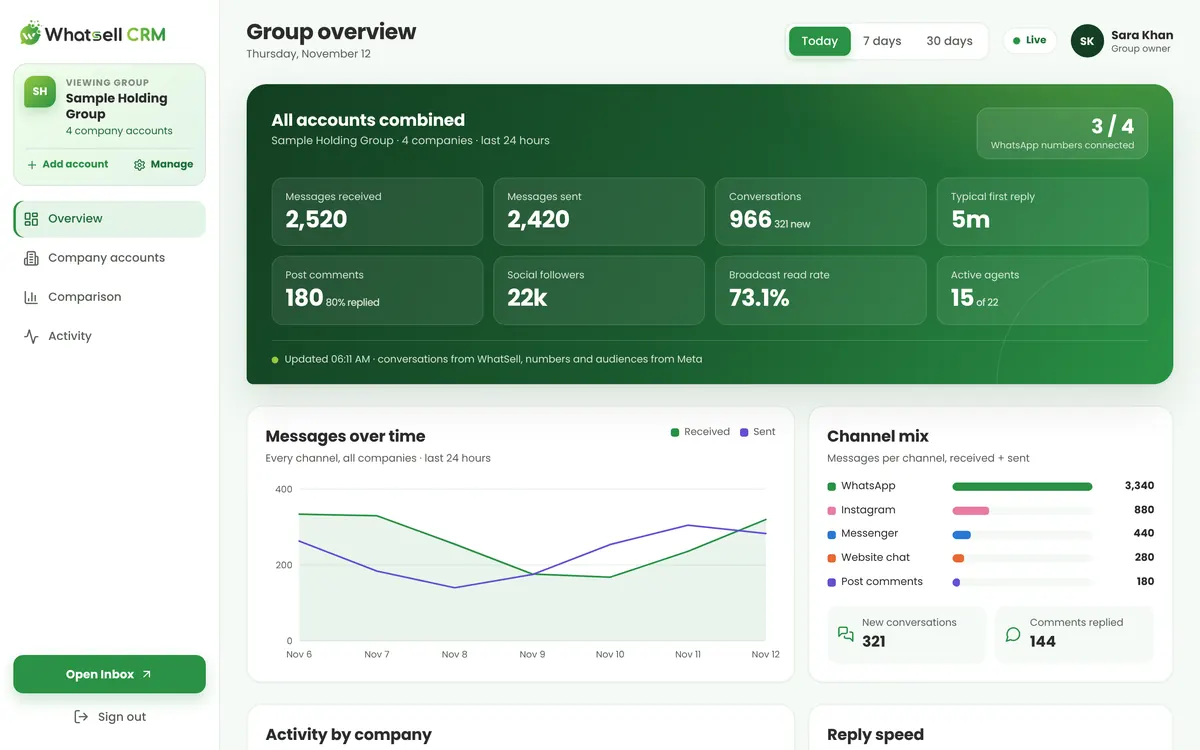
Messages received and sent, conversations and new conversations, typical first reply, post comments and how many were replied, social followers, broadcast read rate and active agents, for today, 7 or 30 days.
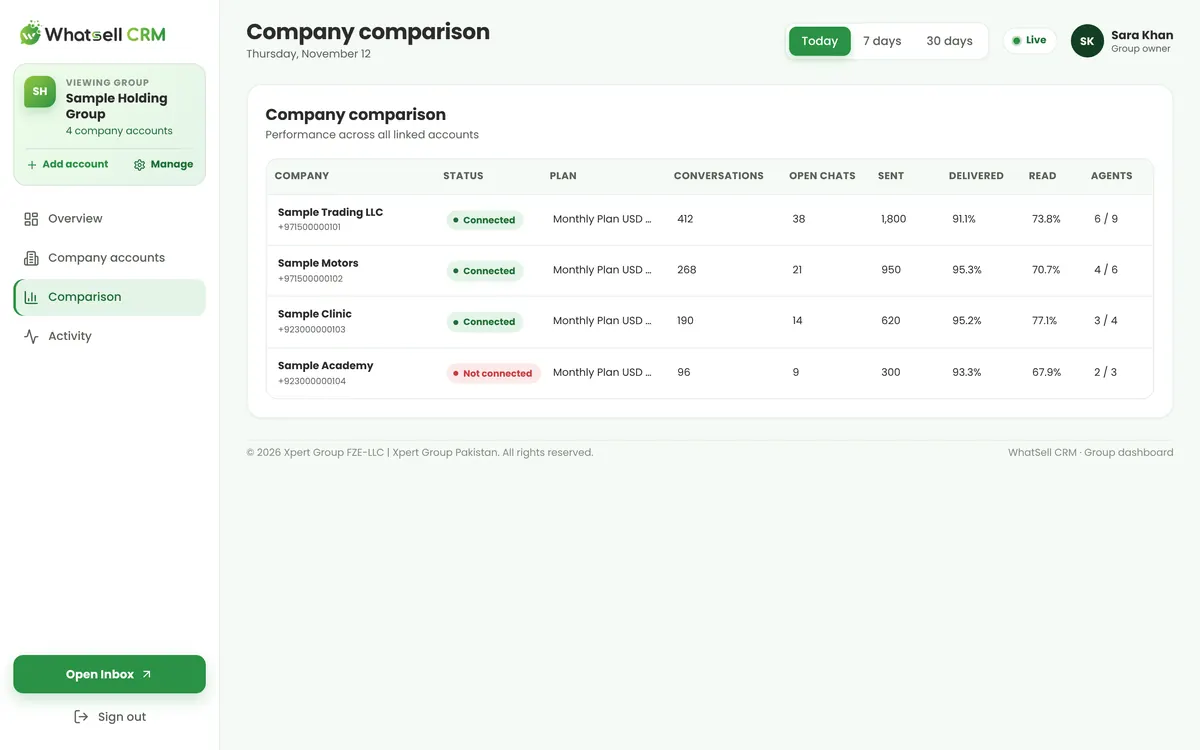
A table with every company side by side: WhatsApp connected or not, plan, conversations, open chats, messages sent, delivery and read rates, and active agents.
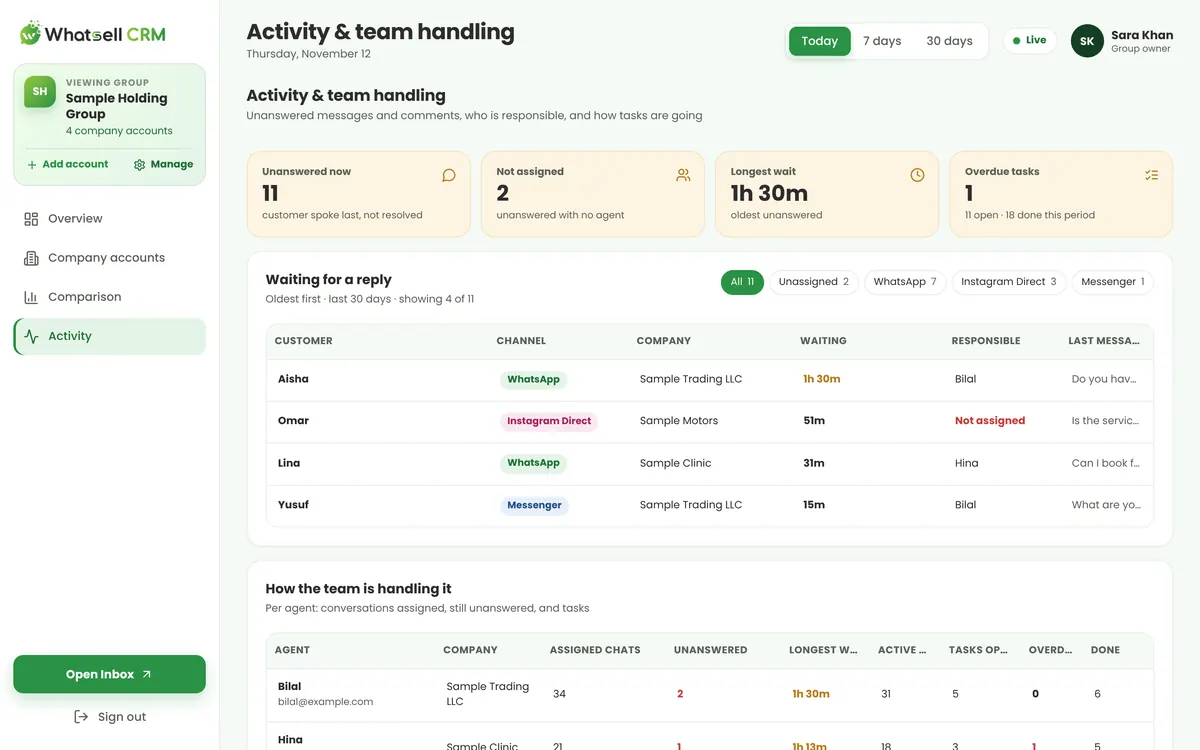
Every customer whose last message is still unanswered, across all companies and channels, with the waiting time and the agent responsible, oldest first.
For each agent: assigned chats, unanswered chats, longest wait, and open, overdue and finished tasks.
The mix of WhatsApp, Instagram, Messenger, website chat and post comments, and the quality rating of each WhatsApp number from Meta.
Alerts such as a company whose WhatsApp is not connected, with the step that fixes it.
Sample companies and figures.
Start free, or see it working in a live demo with our team.